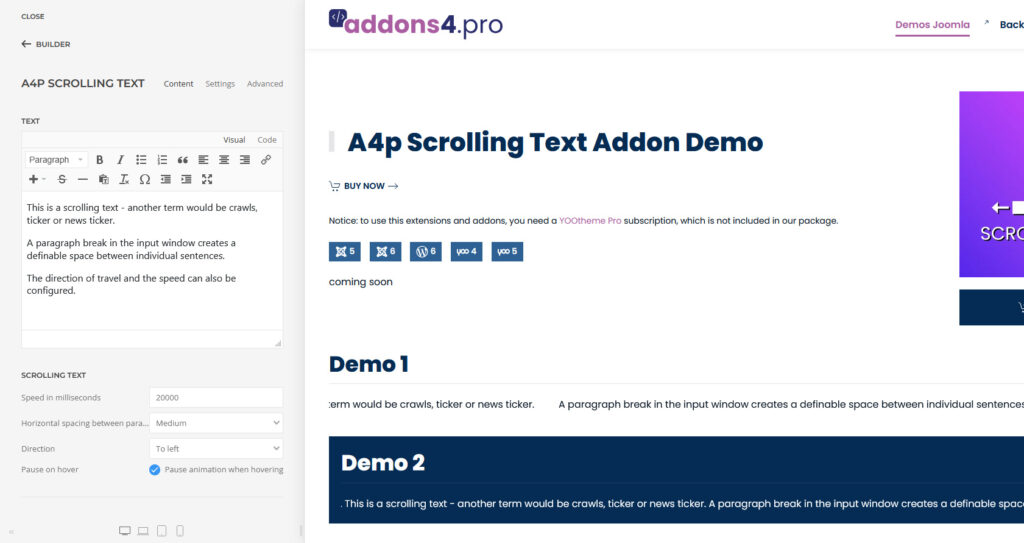
A4p Scrolling Text Addon for Yootheme Pro – Docu Joomla
Extension for YOOtheme Pro to create modern scrolling text animations, tickers, and news tickers directly inside the builder.
How to download and install
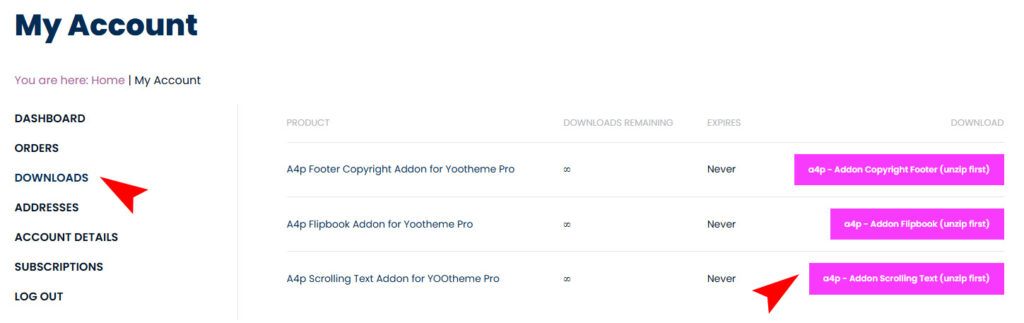
Download “a4p – Addon Scrolling Text (unzip first)” addon from “Downloads” page in “My Account”.
Unzip the file on your computer and you will receive two files: “a4p_scrolling-text-joomla-X.X.zip” and “a4p_scrolling-text-wordpress-X.X.zip”

You can just install the plugin using the “Joomla Extension Manager”.
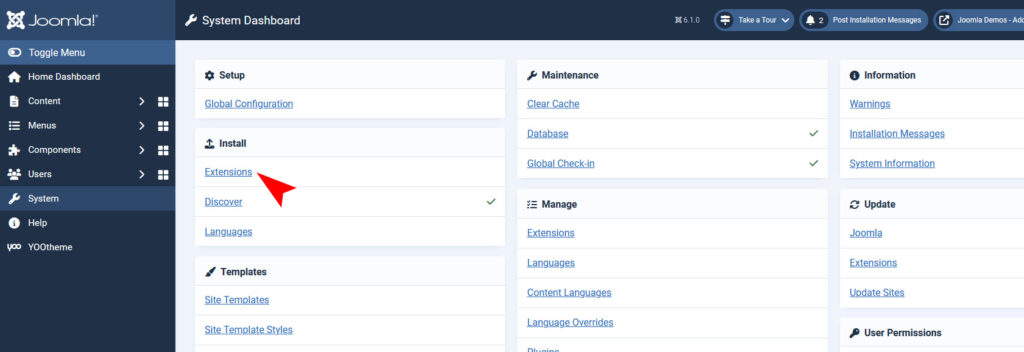
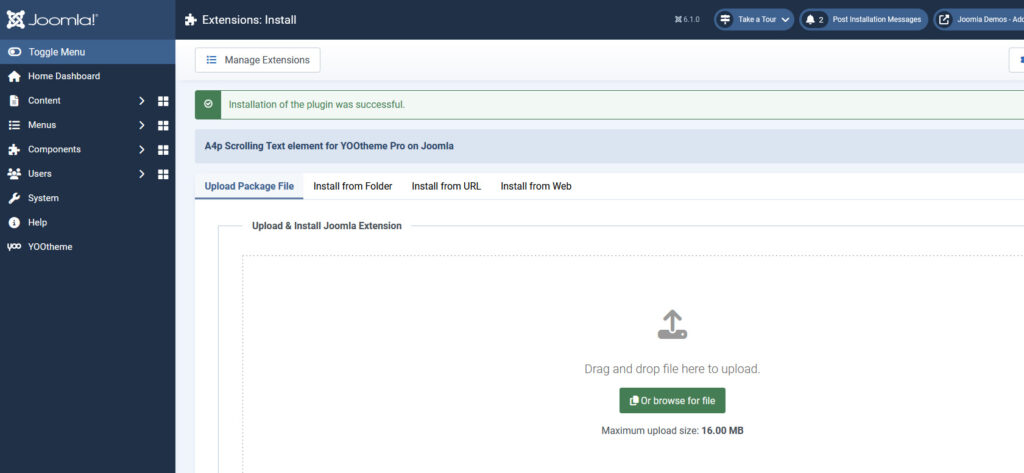
Click “System -> Extensions” and then upload the “a4p_scrolling_text-wordpress-X.X.zip” file to install the extension.
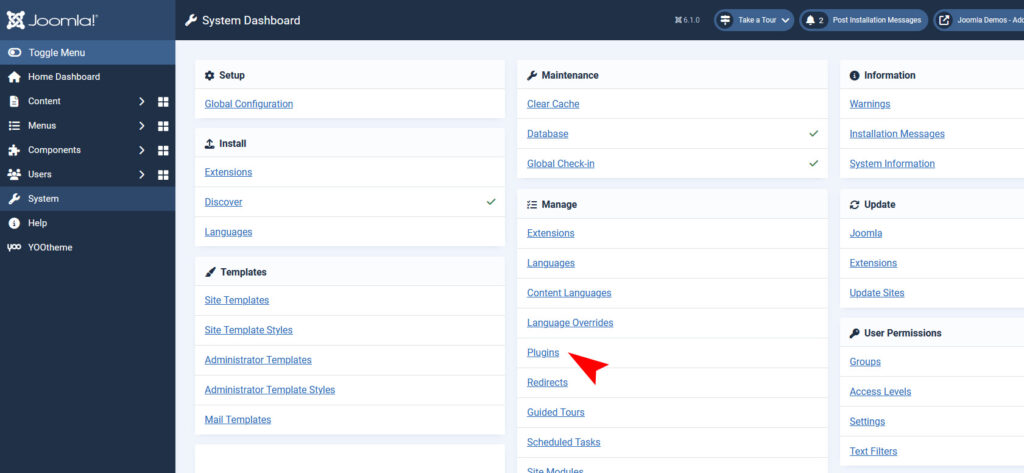
After installing the Plugin goto the Joomla-Menu “System -> Manage -> Plugins”.
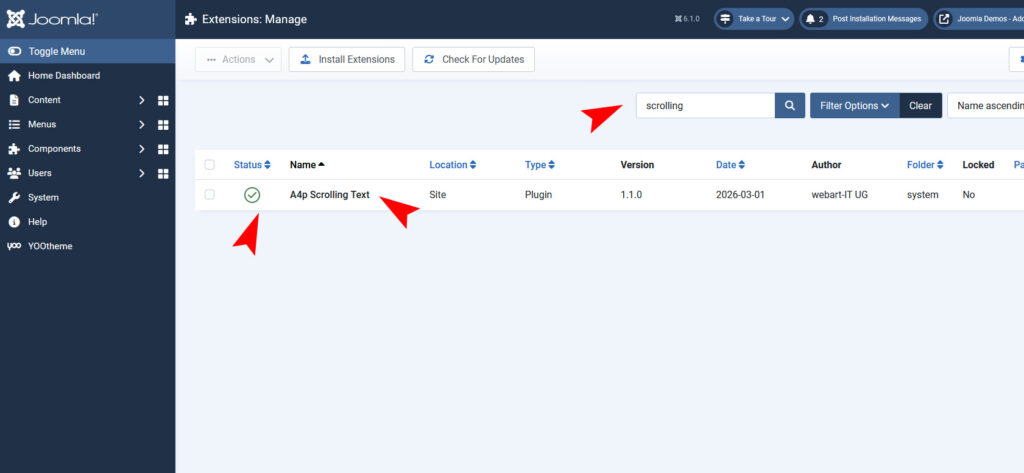
Use the Search or Filter feature to find the installed “A4Pro Scrolling Text” plugin and then make sure the installed plugin is enabled.
Use the Plugin
Open the “Yootheme Pro Page Builder” and generate a new layout or open an existing page or layout.
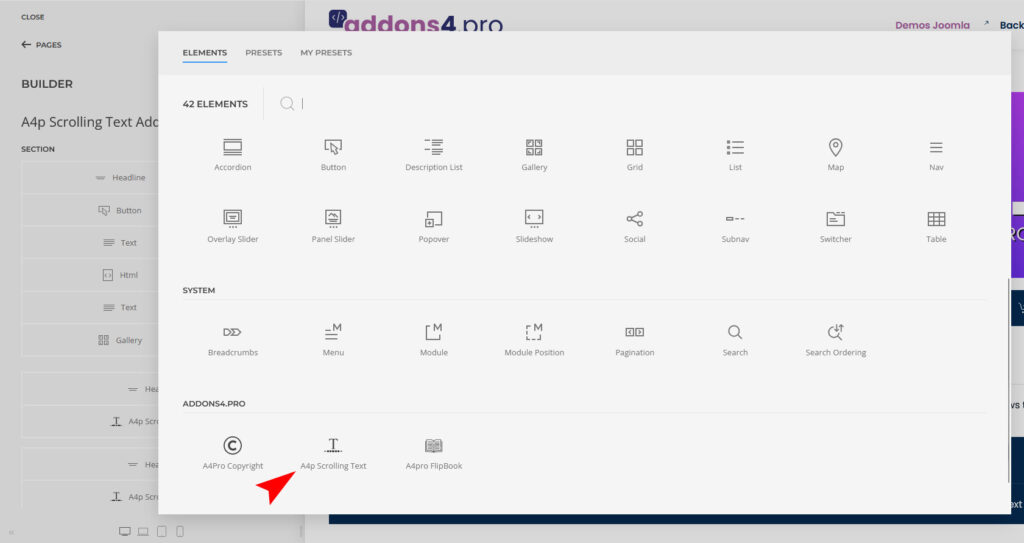
Click on “Add Element (+)” and now you can see the “A4Pro FlipBook” addon.
Configure it however you like.