WordPress Plugins & YOOtheme Pro Addons

Discover professional WordPress plugins designed to add practical features, improve layouts and simplify everyday website workflows.

Explore standalone WordPress plugins and YOOtheme Pro addons developed for modern websites, client projects and professional agency workflows.


Ava Fox helping WordPress users find the right extension
Browse Joomla extensions

Joomla Extensions

Explore WordPress plugins

WordPress Plugins

YOOtheme Pro extensions for Joomla

YOOtheme Pro Extensions

Ava Fox helping WordPress users find the right extension

WordPress Ready

Built for modern WordPress projects

Browse WordPress plugins

Clear Compatibility

Supported versions clearly listed

Easy Installation

Install directly through WordPress
Browse YOOtheme Pro extensions

Direct Support

Get help from the team behind the extensions
  • Platform
  • Sort
  • Use Case
  • Price
Filter

Platform

Sort

Use Case

Price

5 Results

Filters


Art


Platform


Use Case


Price range

What Do You Want to Build with WordPress?

Find WordPress plugins by what you want to achieve — whether you need better layouts, interactive media, dynamic content or practical website utilities.


Better Layouts

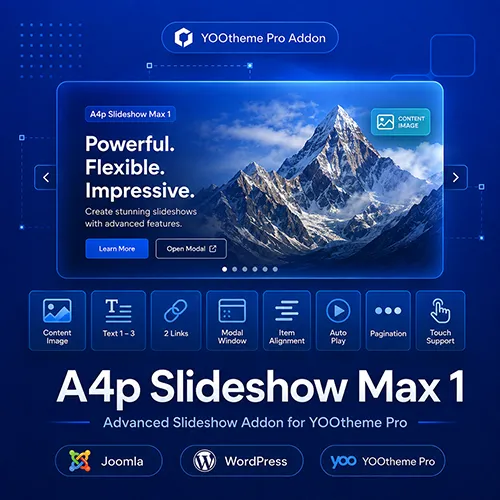
Build richer grids, slideshows and content sections with more flexible options inside YOOtheme Pro.

Product & Service Presentations

Create engaging product showcases, service presentations and landing page sections with advanced visual layouts.

PDF & Document Publishing

Turn catalogs, brochures, magazines and other PDF documents into interactive content directly on your WordPress website.

News & Announcements

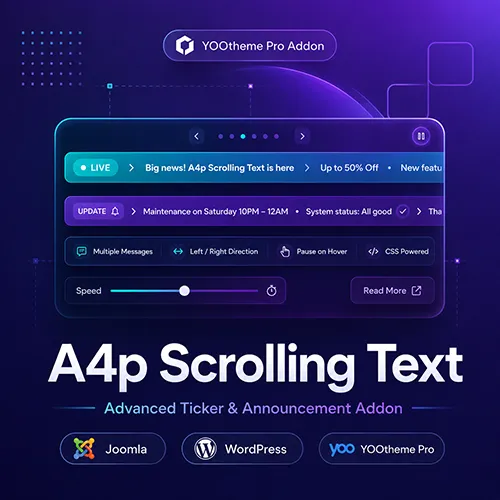
Highlight news, promotions, updates and important information with animated scrolling messages and tickers.

Website Utilities

Add practical functionality that simplifies recurring website tasks and keeps important information up to date.

YOOtheme Pro Enhancements

Extend familiar YOOtheme Pro elements with additional fields, layout options and specialised functionality.

Build More with WordPress & YOOtheme Pro

Using YOOtheme Pro with WordPress?

Many addons4.pro plugins are designed to extend the familiar YOOtheme Pro Builder with additional content fields, enhanced native elements and specialised functionality.

Keep the visual workflow you already know while adding more flexibility to your WordPress projects.

Familiar Builder Workflow

Continue building visually inside YOOtheme Pro without adding another page builder.

Enhanced Native Elements

Extend familiar grids, slideshows and content elements with additional options.

Built for WordPress

Use plugins developed specifically for modern WordPress and YOOtheme Pro environments.

Professional WordPress Plugins for Modern Websites

WordPress is one of the most flexible platforms for creating company websites, landing pages, portfolios, blogs and online services. Its modular structure makes it possible to extend almost every part of a website with additional functionality.

The WordPress plugins available at addons4.pro are developed to solve specific problems and improve everyday website workflows. They help you extend layouts, present content more effectively, add specialised features and enhance websites built with YOOtheme Pro.

Instead of overloading WordPress with unnecessary functionality, each extension focuses on a clearly defined purpose. This makes it easier to choose, install and configure the right plugin for your project.

Our WordPress extensions are suitable for website owners, freelancers, designers, developers and agencies looking for practical tools that integrate into established WordPress workflows.

WordPress Plugins for Different Use Cases

Every WordPress project has different requirements. Some websites need more flexible content presentation, while others require additional media functions, dynamic content, integrations or tools for managing recurring tasks.

Our WordPress plugin collection includes solutions for areas such as:

  • content and layout
  • sliders and media
  • YOOtheme Pro
  • dynamic content
  • PDF and document presentation
  • interactive website elements
  • integrations
  • website utilities
  • administration and workflow optimisation

Each product page explains which problem the plugin solves, which features are included and which technical requirements must be met.

This allows you to compare the available WordPress extensions and select the solution that best fits your website.

YOOtheme Pro Addons for WordPress

A major focus of addons4.pro is the development of extensions for WordPress websites built with YOOtheme Pro.

YOOtheme Pro provides a powerful visual website builder with a wide range of native elements. Our addons extend selected elements and workflows with additional options for more advanced website projects.

Depending on the product, these extensions may provide:

  • additional content fields
  • enhanced link and button options
  • improved media presentation
  • more flexible layout settings
  • dynamic content integrations
  • specialised interactive functions
  • additional controls inside the Builder

The objective is not to replace the native YOOtheme Pro workflow. Instead, the addons integrate into the familiar Builder environment and provide extra functionality where the standard element reaches its limits.

This allows you to build more customised WordPress websites without creating every feature from scratch or relying on extensive custom code.

Developed for Real WordPress Projects

The plugins available at addons4.pro are based on practical requirements that occur in real website and agency projects.

The development process focuses on:

  • useful and clearly defined functionality
  • simple installation
  • understandable configuration
  • clean integration into WordPress
  • compatibility with modern environments
  • efficient frontend output
  • structured documentation
  • regular product maintenance

This practical approach makes the extensions suitable for both individual website owners and professionals managing multiple WordPress projects.

Instead of providing a large number of rarely used settings, the products concentrate on the options required for their intended use case.

Easy Installation and Configuration

WordPress plugins from addons4.pro are provided as installable ZIP packages. They can normally be uploaded directly through the WordPress administration area.

The typical installation process is:

  1. Download the plugin package.
  2. Open the WordPress plugin administration.
  3. Upload and install the ZIP file.
  4. Activate the plugin.
  5. Configure the available options.

YOOtheme Pro addons become available inside the Builder after installation and activation. This means you can use the additional element or functionality within your existing design workflow.

The relevant product documentation explains the installation and configuration process in detail.

Clear Compatibility Information

Compatibility is essential when selecting a WordPress plugin.

Each product page therefore provides information about the supported WordPress version and, where relevant, the required versions of YOOtheme Pro and PHP.

Before purchasing, you can check:

  • supported WordPress versions
  • required YOOtheme Pro version
  • PHP requirements
  • current plugin version
  • latest update date
  • supported platforms
  • known technical requirements

Products that are also available for Joomla are clearly marked. This helps you select the correct version for your website and prevents platform-related purchasing mistakes.

Where available, a live demo allows you to test the visible functionality before buying.

Documentation and Support

Good documentation is important for installing and using a WordPress plugin successfully.

The product documentation may include:

  • system requirements
  • installation instructions
  • activation and initial setup
  • explanation of available settings
  • usage examples
  • YOOtheme Pro configuration
  • troubleshooting
  • update information
  • changelog details

This provides a clear starting point for beginners while also giving experienced users the technical information they need.

If additional assistance is required, the respective product and support areas provide information about the available support options.

Regular Updates and Continued Development

WordPress, PHP, YOOtheme Pro and third-party systems are continuously updated. Plugins must therefore be maintained to remain compatible and reliable.

Updates may include:

  • compatibility improvements
  • bug fixes
  • security-related adjustments
  • performance optimisation
  • usability improvements
  • new features

The current plugin version and the latest changes are displayed on the relevant product page or in the changelog.

Before updating a live website, it is generally recommended to create a backup and test major changes in a staging environment.

Find the Right WordPress Plugin

Use the product overview to browse and compare all available WordPress plugins and extensions.

Depending on the product, you can review:

  • the main functionality
  • supported systems
  • compatibility requirements
  • screenshots
  • live demonstrations
  • documentation
  • version information
  • update history
  • pricing and licence details

Whether you are building a new WordPress website, improving an existing project or extending YOOtheme Pro, addons4.pro provides focused plugins designed to solve practical website requirements.

Explore all WordPress plugins and find the right extension for your project.

Why Choose addons4.pro for WordPress?

Built from Real WordPress Projects

Our plugins are inspired by practical requirements encountered in professional WordPress and agency projects.
Browse Joomla extensions

WordPress Experience

Backed by more than 20 years of web development experience at webart-IT.

Clear Compatibility

Check supported WordPress, PHP and YOOtheme Pro versions before purchasing or installing a plugin.

Documentation & Direct Support

Get practical documentation and assistance directly from the team developing and maintaining the plugins.

Frequently Asked Questions About WordPress Plugins

1. How do I install an addons4.pro plugin in WordPress?
Download the plugin ZIP package after purchase, open Plugins → Add New in the WordPress administration area, upload the file and activate the plugin. Product-specific instructions are available in the documentation.
2. Which WordPress versions are supported?
Supported WordPress versions are listed on each product page. Compatibility may differ between plugins, so please check the product requirements before purchasing or updating.
3. Do all WordPress plugins require YOOtheme Pro?
No. Only products marked as YOOtheme Pro addons require the YOOtheme Pro Builder. Other WordPress plugins may work independently.
4. Can I use the plugins on multiple WordPress websites?
The number of websites depends on the licence of the respective product. Please check the licence information on the product page before purchasing.
5. Do WordPress plugins receive updates?
Active licences include access to available updates according to the licence terms of the respective product. Product pages and changelogs provide information about current versions and recent changes.
6. Are live demos available?
Many visual plugins include a WordPress live demo so you can review the frontend result and important features before purchasing.
7. What if I cannot find the plugin I need?
Send us your idea through our extension wishlist. Tell us which feature or integration you are looking for — your request may inspire a future addons4.pro plugin.
Ava Fox helping visitors choose the right extension

Ready to Extend Your WordPress Website?

Explore practical WordPress plugins developed for real-world projects and find the tools that fit your website, workflow and YOOtheme Pro setup.