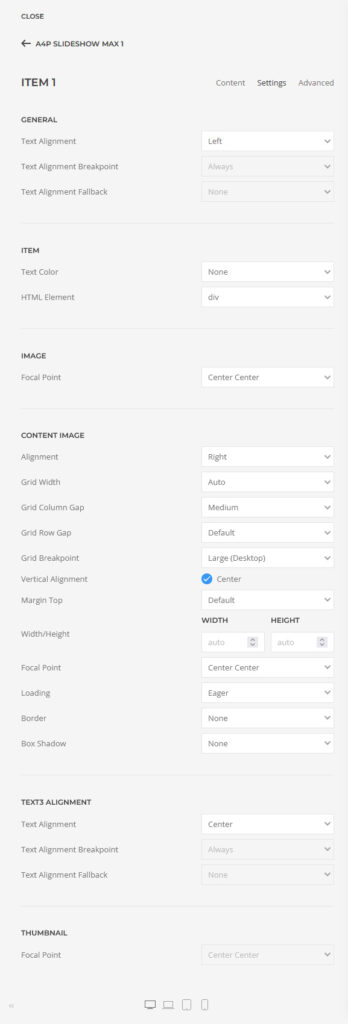
A4p Slideshow Max 1 Addon for Yootheme Pro – Docu Joomla

How to download and install

Download “a4p – Slideshow Max 1 Addon for Yootheme Pro” addon from “Downloads” page in “My Account”.
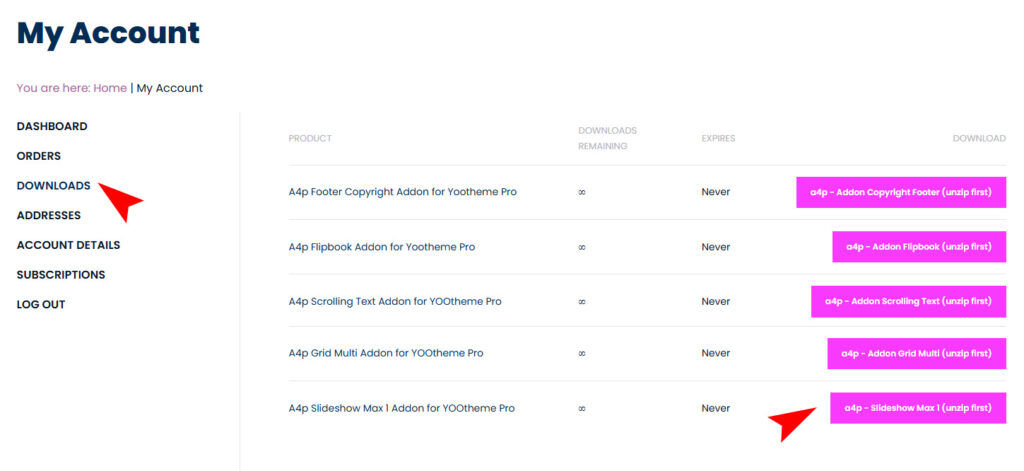
Unzip the file on your computer and you will receive two files: “a4pro_slideshow_max_1-joomla-X.X.X.zip” and “a4pro__slideshow_max_1-wordpress-X.X.X.zip”

You can just install the plugin using the “Joomla Extension Manager”.
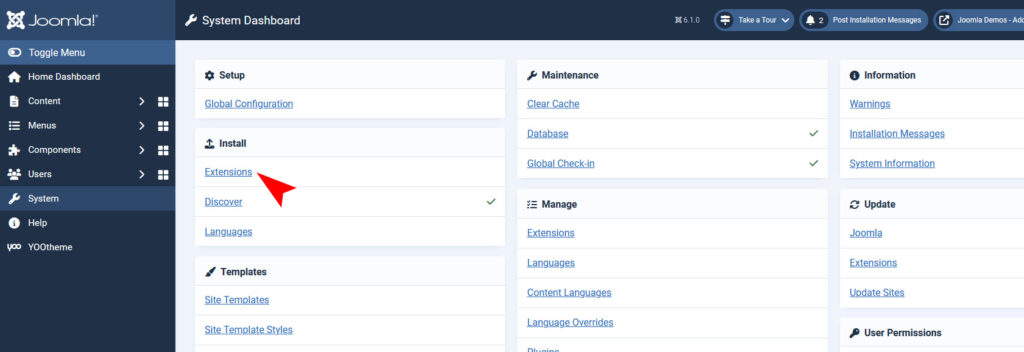
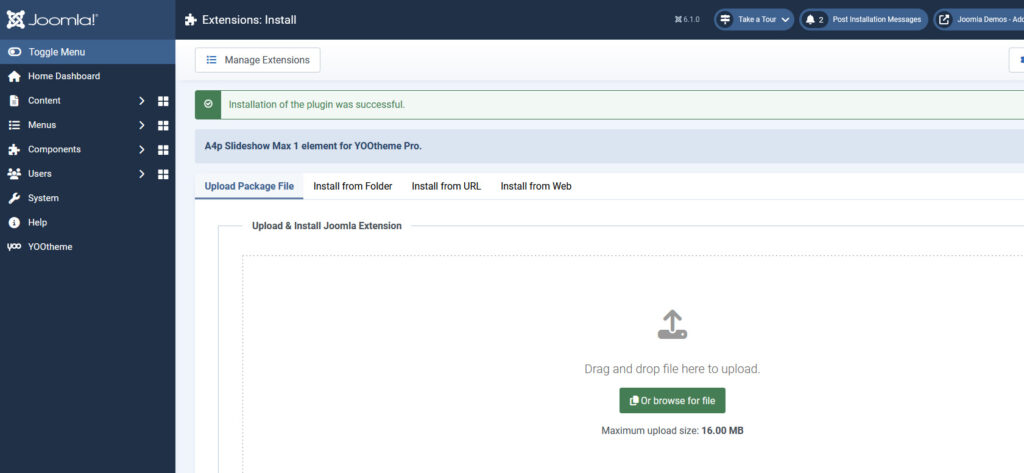
Click “System -> Extensions” and then upload the “a4p__slideshow_max_1-joomla-X.X.zip” file to install the extension.
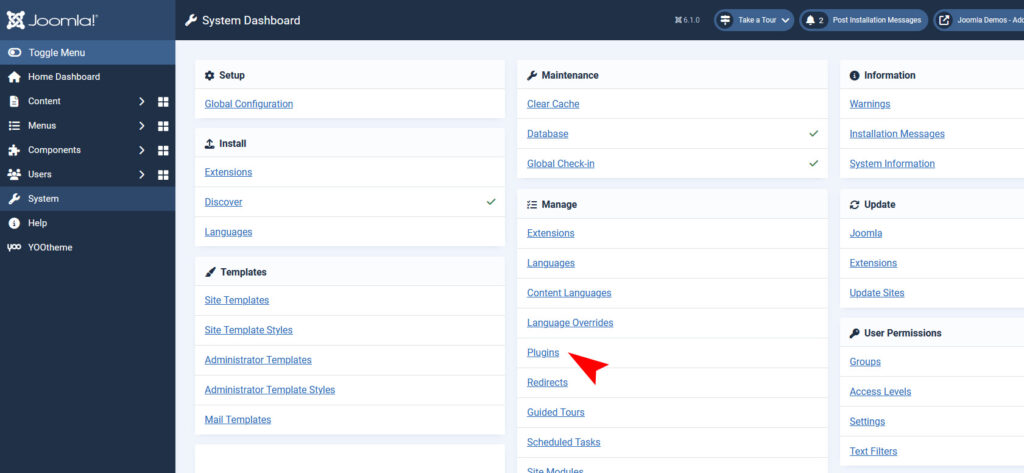
After installing the Plugin goto the Joomla-Menu “System -> Manage -> Plugins”.
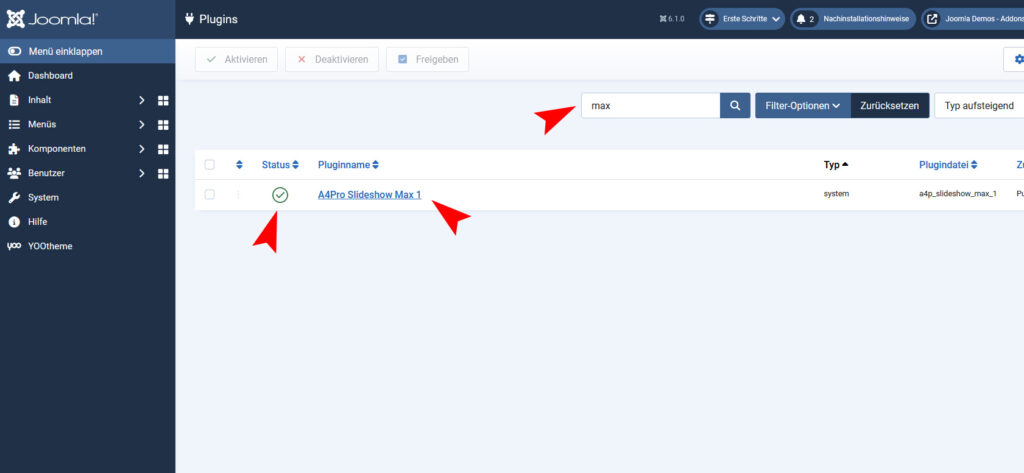
Use the Search or Filter feature to find the installed “A4Pro Slideshow Max 1” plugin and then make sure the installed plugin is enabled.
Use the Plugin

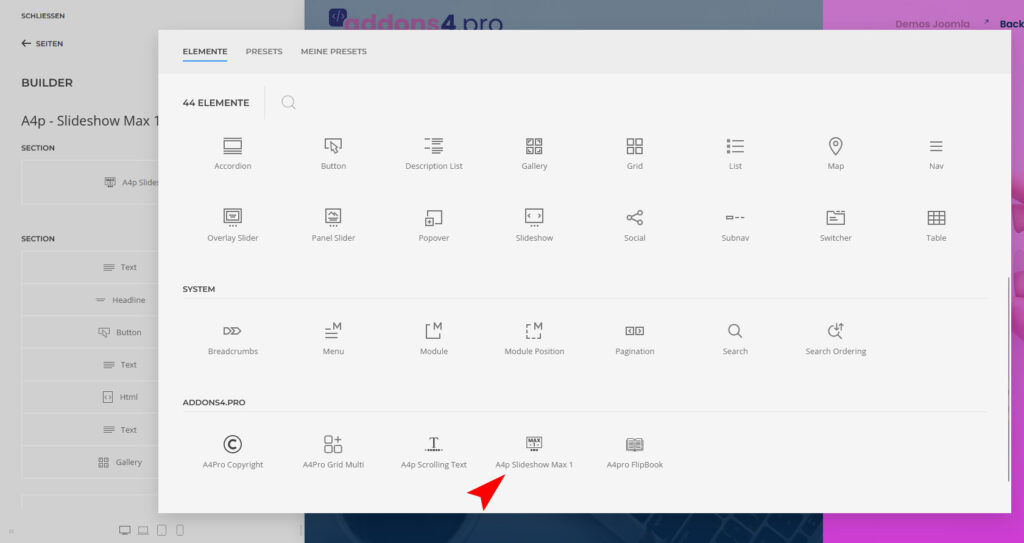
Open the “Yootheme Pro Page Builder” and generate a new layout or open an existing page or layout.
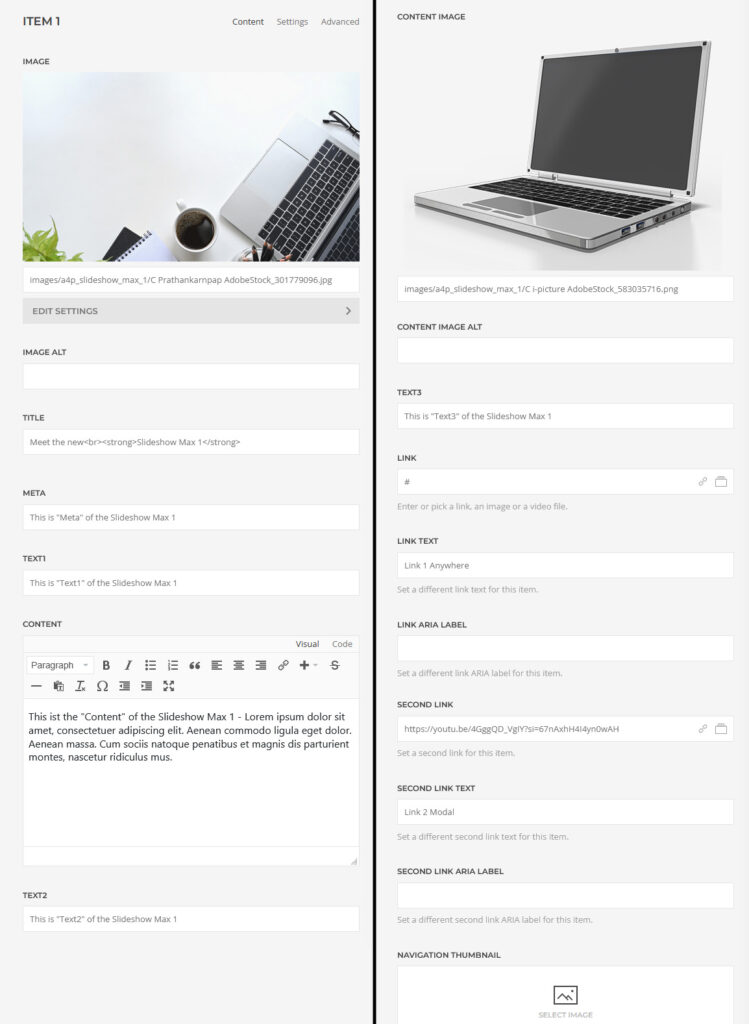
Click on “Add Element (+)” and now you can see the “A4Pro Grid Multi” addon.
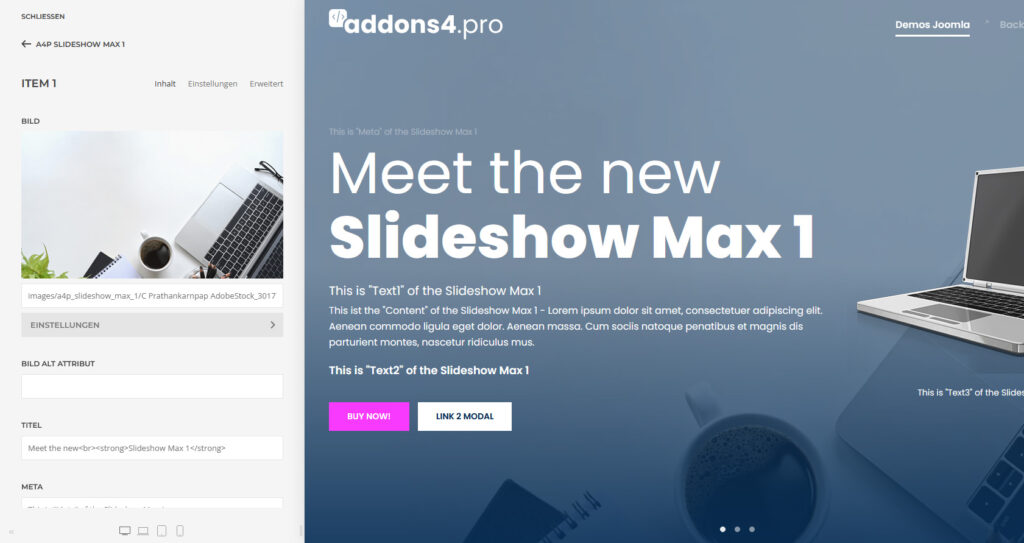
Configure it however you like.
Changelog

Version 1.24

  • Added runtime-only slideshow instance isolation based on the YOOtheme node identity.
  • Scoped frontend wrapper attributes and modal IDs per slideshow instance.
  • Improved Builder preview isolation for multiple slideshow variants on one page.
  • Security review for PHP, WordPress and YOOtheme Pro completed.
  • PHP-Lint and ZIP-test passed.

Version 1.23

  • Introduced slideshow instance isolation for pages containing multiple A4p Slideshow Max 1 elements.
  • Added unique slideshow wrapper identification.
  • Scoped modal window IDs to the individual slideshow instance.
  • Prevented cross-instance interference between multiple slideshows on the same page.
  • Improved compatibility with responsive slideshow variants (e.g. separate desktop and mobile slideshows).
  • PHP-Lint validation completed.
  • ZIP package validation completed.

Version 1.22

Stable Joomla Release

  • Fixed Joomla plugin title display.
  • Plugin now correctly displays as “A4Pro Slideshow Max 1”.
  • Updated Joomla language handling.
  • Verified manifest language references.
  • PHP lint validation completed.

Version 1.21

Stable Public Release

  • Added final addon icons.
  • Security review for Joomla, PHP and YOOtheme Pro.
  • Validated URL handling and editor sanitizing.
  • Verified namespace and guard structure.
  • Prepared stable production package.

Version 1.20

  • Corrected Text1, Text2 and Text3 style labels.
  • Style option now correctly displays “Text Meta”.

Version 1.19

  • Added display toggles for Text1, Text2 and Text3.
  • Added global settings for all new text fields.
  • Adjusted frontend output positions.
  • Added dedicated Text3 Alignment settings section.

Version 1.18

  • Added Text1, Text2 and Text3 fields.
  • Added conditional Text3 output below Content Image.
  • Added individual Text3 alignment support.

Version 1.17

  • Removed experimental progress bar system.
  • Removed autoplay progress scripts and styles.

Version 1.16

  • Improved autoplay progress synchronization.
  • Added hover pause support for progress handling.

Version 1.15

  • Improved slideshow autoplay timing integration.
  • Adjusted progress reset handling.

Version 1.14

  • Fixed progress bar placement.
  • Added spacing below overlay content.

Version 1.13

  • Added animated autoplay progress bar.
  • Added spacing adjustments.

Version 1.12

  • Added optional UIkit-based autoplay progress bar.

Version 1.11

  • Added per-item text alignment override.

Version 1.10

  • Added visible Width and Height fields for Content Image.

Version 1.09

  • Added Width and Height support for Content Image.

Version 1.08

  • Adjusted Content Image configuration handling.

Version 1.07

  • Fixed Content Image rendering issue.

Version 1.06

  • Fixed Content Image template output.

Version 1.05

  • Added Content Image support.
  • Added Panel-style image settings.

Version 1.04

  • Improved modal handling.
  • Embedded videos now unload correctly after modal close.

Version 1.03

  • Fixed modal rendering error.
  • Added missing second link display toggle.

Version 1.02

  • Added second link configuration.
  • Added modal window support.
  • Added UIkit spacing options between buttons.

Version 1.01

  • Initial Joomla release.
  • Added second button/link support.
  • Integrated YOOtheme Pro Builder element.

Withdraw from contract