
To use this add-on, you need YOOtheme Pro for Joomla or WordPress. YOOtheme Pro is a separate third-party product and is not included with this package.




Product Overview
Advanced Counter & Statistics Addon for YOOtheme Pro
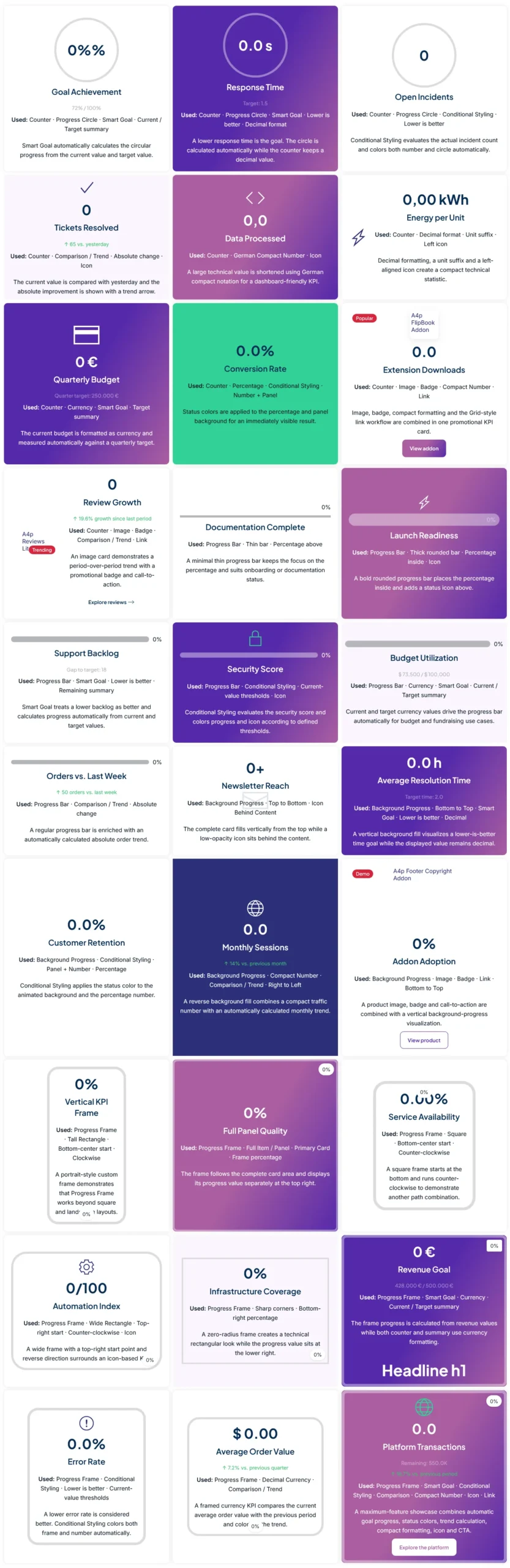
A4p Counter & Statistics PRO turns numerical content into flexible, visual and interactive statistics directly inside YOOtheme Pro.
Create anything from a simple animated counter to advanced KPI cards with targets, progress visualization, comparison values and conditional styling.
The addon is designed for business websites, agencies, dashboards, reports, product pages and any layout where numbers should communicate more than just a static value.
Typical use cases include:
- Business KPIs
- Sales targets
- Revenue statistics
- Project progress
- Customer satisfaction
- Service availability
- Conversion rates
- Performance scores
- Production figures
- Support statistics
- Website traffic
- Growth indicators
- Budget utilization
- Quality metrics
- Compliance values
- Milestones
- Fundraising goals
Everything is configured directly inside the YOOtheme Pro Builder.
Multiple Display Types
More Than Just a Counter
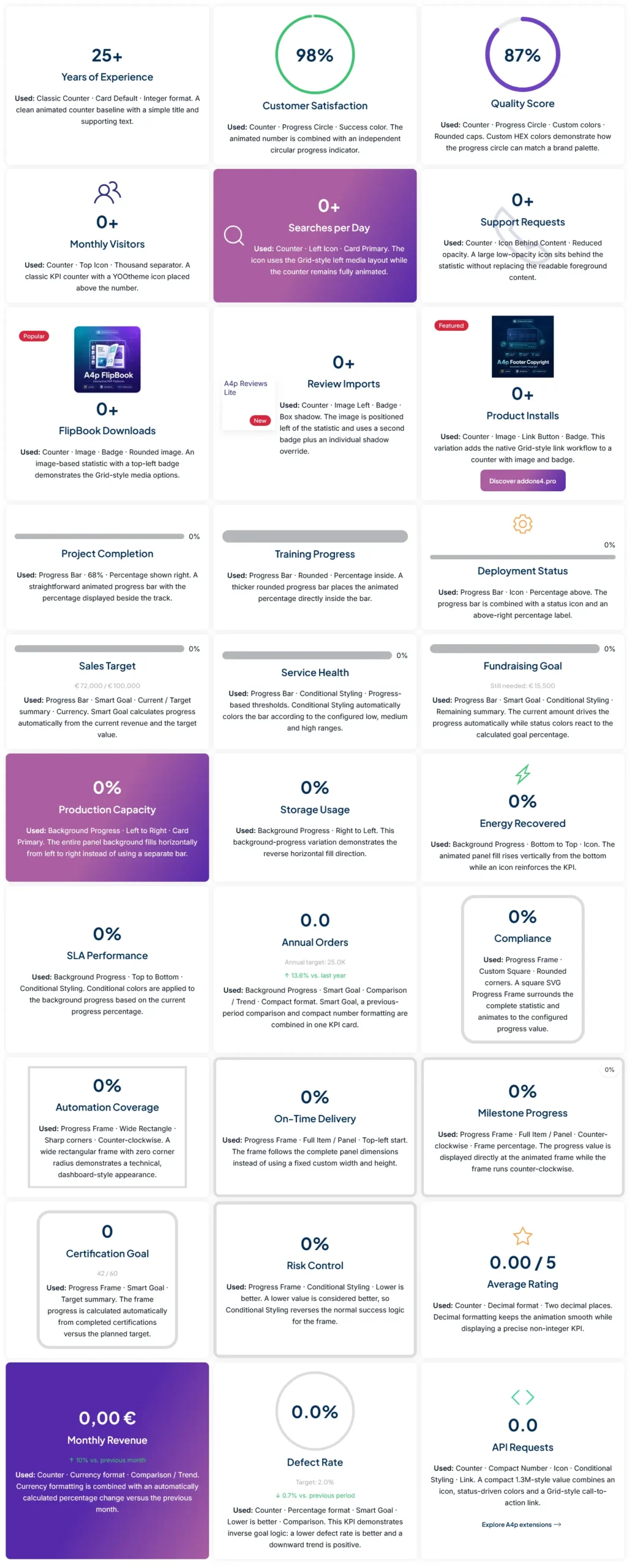
A4p Counter & Statistics PRO includes several visual display types that can be selected individually for each statistic.
Counter
Create animated numerical counters with configurable start and end values, prefixes, suffixes, separators and advanced number formatting.
Counters can optionally use an animated Progress Circle.
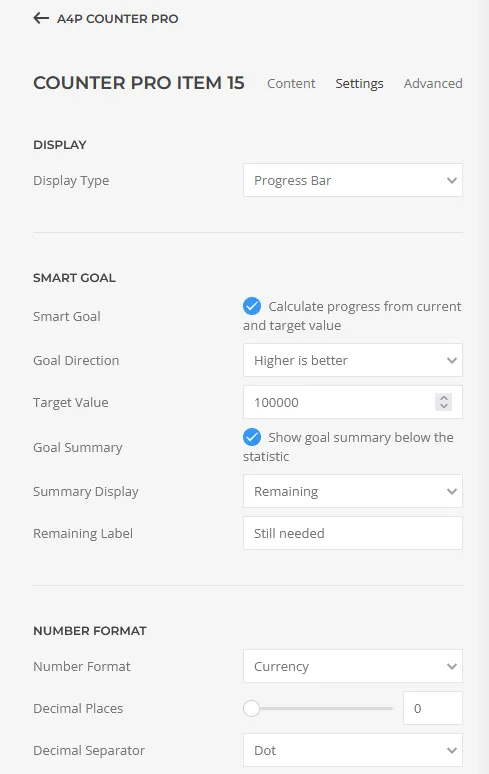
Progress Bar
Display progress as a horizontal bar with customizable height, colors, track styling, rounding and animation.
The progress value can be displayed:
- Inside the bar
- Above the bar
- Next to the bar
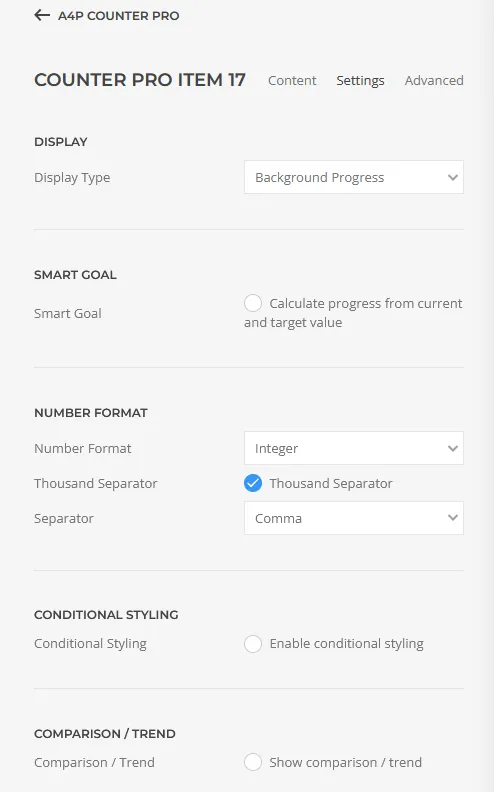
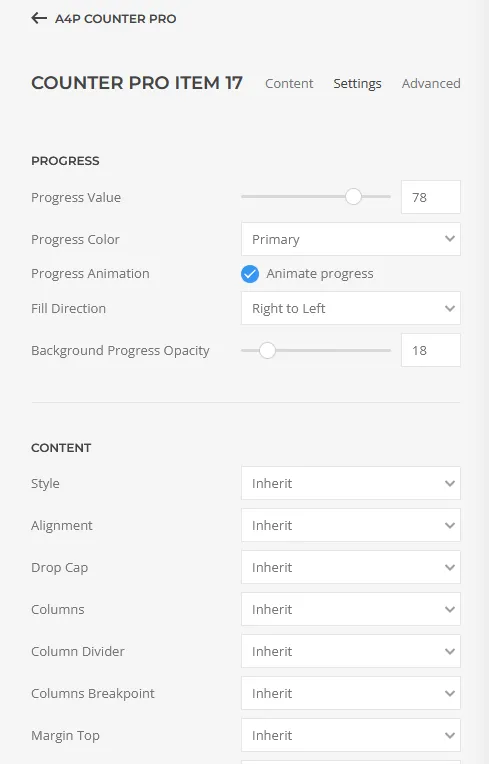
Background Progress
Use the background of the complete item as a visual progress indicator.
Available directions include:
- Left to right
- Right to left
- Bottom to top
- Top to bottom
This creates eye-catching KPI cards without requiring an additional chart.
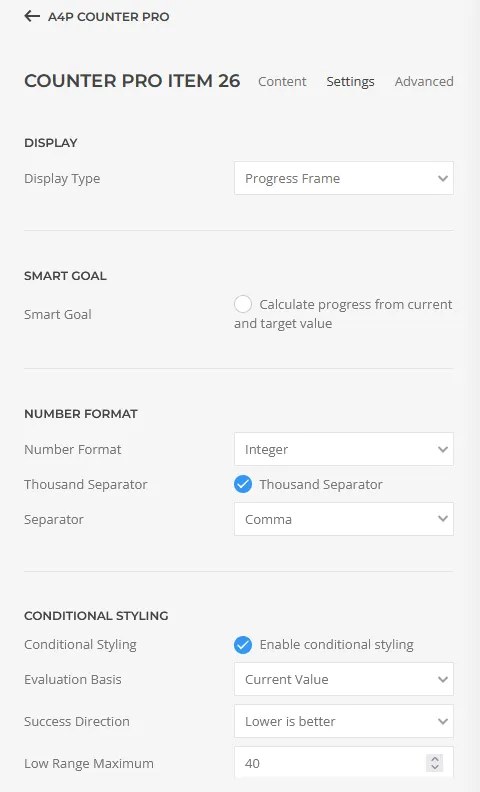
Progress Frame
Visualize progress around the complete counter item using an animated SVG frame.
Progress Frames support different sizes, dimensions, corner radii, starting positions and animation directions.
They can follow a custom frame size or the complete item/panel.
This makes it possible to create rectangular, square, portrait or full-card progress visualizations.
Animated Counters
Flexible Animated Numbers
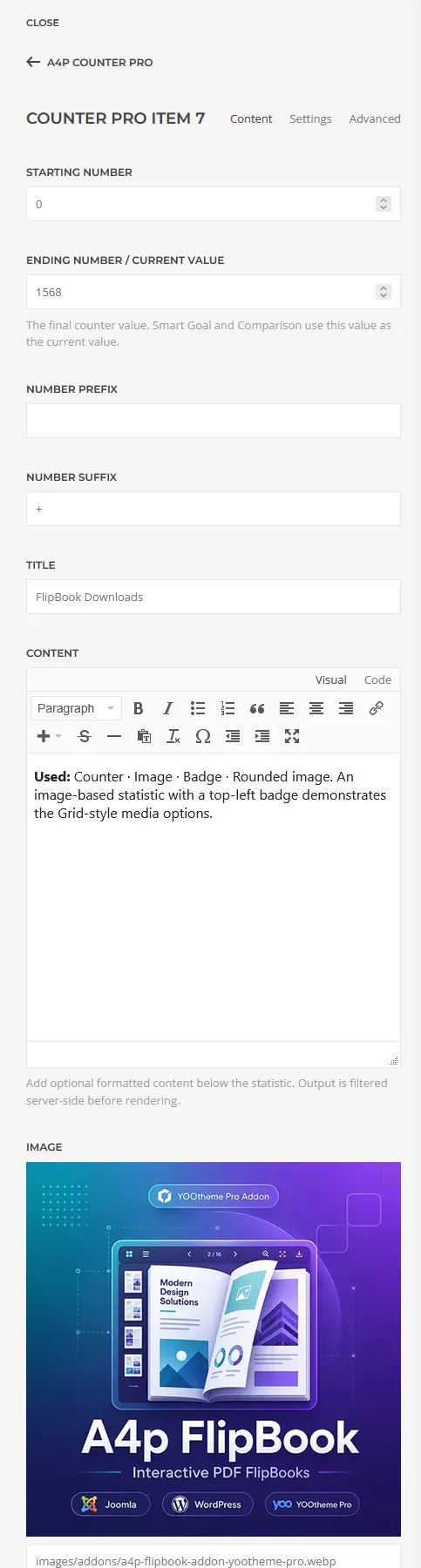
Every item can animate from a configurable start value to its final value.
Available options include:
- Start value
- End value
- Prefix
- Suffix
- Animation duration
- Thousands separators
- Number formatting
- Decimal precision
- Currency formatting
- Percentage formatting
- Compact numbers
Advanced Number Formats
Professional Number Formatting
A4p Counter & Statistics PRO includes advanced formatting options for different types of numerical content.
Available formats include:
- Integer
- Decimal
- Percentage
- Currency
- Compact numbers
You can configure decimal places, decimal separators, currency symbols and currency positions.
Compact number formatting can display larger values in forms such as:
1.2K · 4.8M · 2.1B
or German-style formats such as:
1,2 Tsd. · 4,8 Mio. · 2,1 Mrd.
The formatting is applied throughout the counter animation, not only to the final value.
Smart Goal / Target Mode
Turn Numbers into Goals
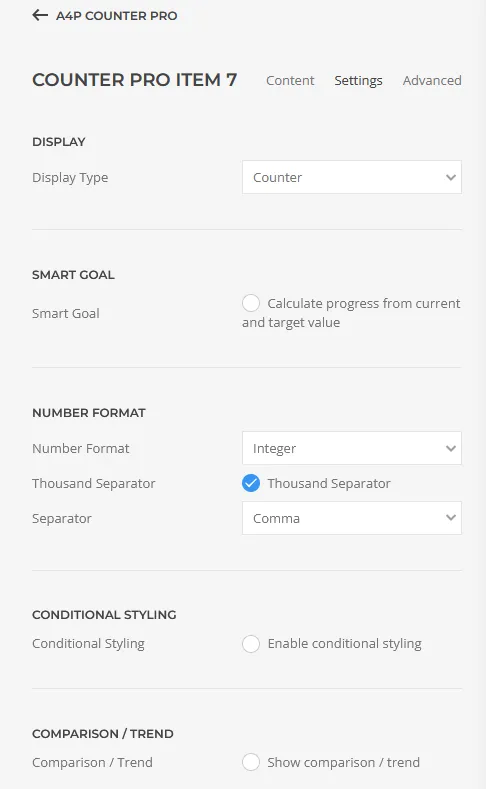
Smart Goal Mode allows you to define a target value instead of manually configuring visual progress.
The addon automatically calculates the progress based on the current value and the target.
For example:
€428,000 / €500,000
The corresponding Progress Bar, Background Progress, Progress Circle or Progress Frame can automatically represent the calculated percentage.
Smart Goal Mode supports both:
Higher is better
and
Lower is better
This makes it suitable for goals as well as metrics such as response times, error rates or outstanding tickets.
Optional goal summaries can display:
- Current / Target
- Target
- Remaining value
Conditional Styling
Automatically React to KPI Values
Conditional Styling allows statistics to visually react to their current status.
Define thresholds for different states and let the addon automatically apply colors.
Typical states can represent:
- Good
- Warning
- Critical
Conditional styling can be based on either:
- Current value
- Progress percentage
and can use either:
- Higher values are better
- Lower values are better
The calculated state can be applied individually to:
- Progress visualization
- Counter number
- Icon
- Panel
This makes it easy to build KPI cards that communicate status immediately without manually adjusting colors.
Comparison & Trends
Show Development over Time
A4p Counter & Statistics PRO can compare the current value with a previous value.
The difference is calculated automatically and can be shown as:
- Percentage difference
- Absolute difference
Trend direction can also take the context into account.
For example:
Revenue
+12%
Higher values are positive.
But for:
Error Rate
−18%
lower values can be treated as positive.
Optional trend icons and automatic colorization make comparisons immediately understandable.
Progress Circle
Animated Circular Progress
The Progress Circle included in the FREE version is also available in PRO.
It can be combined with standard Counter mode and configured independently from the displayed counter number.
Available options include:
- Progress value
- Circle size
- Stroke width
- Progress color
- Track color
- Animation
- Rounded stroke ends
When Smart Goal Mode is enabled, the progress can automatically be calculated from the current and target values.
Images & Icons
Add Visual Context to Your Statistics
PRO supports both images and YOOtheme icons.
Use an icon for compact KPI cards or add an image for more visual statistics and product-focused layouts.
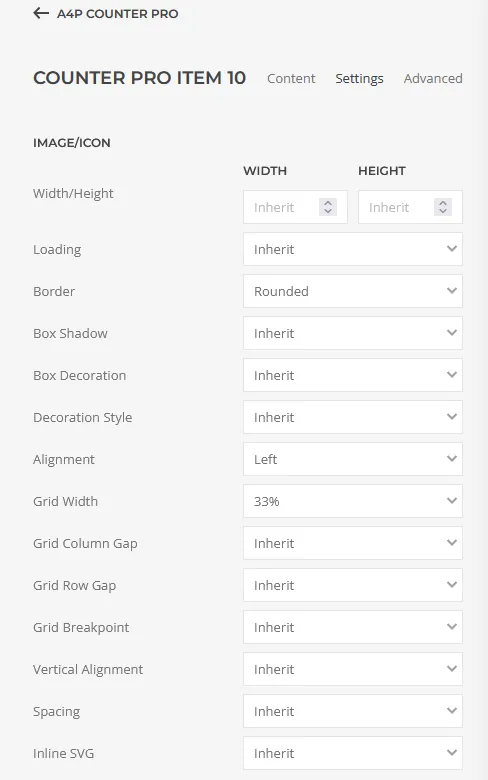
Media settings include options for:
- Image width and height
- Loading behavior
- Border
- Shadow
- Decoration
- Alignment
- Spacing
- SVG settings
- Icon color
- Icon opacity
Images and icons can be positioned above, below, left or right of the content depending on the selected layout.
Image Badges
Add Two Independent Image Badges
Images can optionally display two independent badges.
The badges are positioned directly on the image and are useful for highlighting additional information such as:
- NEW
- PRO
- Bestseller
- 95%
- Target reached
- +12%
Badge content supports YOOtheme Pro Dynamic Content.
Rich Content
More Than a Title and Number
Each PRO item includes an additional rich content field.
Unlike a simple plain-text description, the content field supports formatted HTML from the editor.
You can use:
- Paragraphs
- Strong text
- Headings
- Lists
- Links
- Other supported editor formatting
This makes the element suitable for more detailed KPI cards and explanatory statistics.
The HTML output is filtered server-side before rendering.
Flexible Links
Turn Statistics into Interactive Content
Counter items can optionally link to additional content.
The link implementation follows the familiar YOOtheme Pro workflow and supports the native link picker.
Available options include:
- Link URL
- Link text
- ARIA label
- Button styles
- Text links
- Muted links
- Link size
- Full-width links
- New-window target
- Download attribute
- nofollow
- noreferrer
This allows a statistic to become a direct call-to-action without requiring another Builder element.
Responsive Grid Layouts
Responsive by Design
A4p Counter & Statistics PRO uses the YOOtheme Pro and UIkit grid system.
Configure responsive columns for different viewport sizes and create layouts ranging from a single KPI card to complete statistics dashboards.
Available layout controls include:
- Responsive columns
- Grid gaps
- Dividers
- Panel styles
- Individual panel overrides
- Vertical content alignment
- Individual alignment overrides
The layout automatically adapts to desktops, tablets and smartphones.
Panel & Item Styling
Global Design with Individual Overrides
Define a consistent global design for all statistics while retaining the ability to customize individual items.
Global settings can control the overall appearance, while individual statistics can override selected properties.
This is useful when one KPI needs special emphasis without rebuilding the complete statistics section.
Dynamic Content Support
Build Data-Driven Statistics
A4p Counter & Statistics PRO integrates with YOOtheme Pro Dynamic Content.
Supported properties can be connected to dynamic sources instead of being entered manually.
This is particularly useful for:
- Custom post types
- Joomla custom content
- WordPress content
- reusable templates
- dynamically generated KPI layouts
- frequently changing numerical values
Designed for YOOtheme Pro
A Native Builder Workflow
A4p Counter & Statistics PRO is designed around the existing YOOtheme Pro workflow.
Instead of introducing a separate dashboard or external statistics system, all element settings are available directly inside the Builder.
It uses familiar concepts such as:
- Dynamic Content
- responsive grid settings
- YOOtheme icons
- panel styles
- links
- Transform
This keeps the workflow consistent with other native YOOtheme Pro elements.
FREE ↔ PRO Transform
Upgrade Existing FREE Counters
A4p Counter & Statistics FREE and PRO are independent standalone extensions and can be installed at the same time.
Shared properties use compatible field names so that YOOtheme Pro’s native Transform feature can convert supported FREE elements into the PRO version.
Common settings are preserved during transformation.
When transforming a PRO element back to FREE, supported FREE properties remain while PRO-only functionality is removed.
This makes upgrading existing layouts considerably easier.
Joomla & WordPress
Built for Joomla and WordPress
A4p Counter & Statistics PRO is available for both Joomla and WordPress.
The Joomla version has been tested successfully with:
Joomla 5
Joomla 6
Both platforms use the same element concept and feature structure, making the addon suitable for agencies working across Joomla and WordPress projects.
License & Updates
License and Update Access
A4p Counter & Statistics PRO requires an active addons4.pro license for automatic updates.
Each license is assigned to the number of websites included in the purchased license plan.
The purchased version remains functional after the maintenance period expires.
When maintenance expires:
- Existing Counter & Statistics elements continue to work
- Existing website content remains available
- Automatic updates are no longer available
- Support entitlement expires
Renewing the license restores access to updates and support.
There is no forced shutdown of existing website functionality when maintenance expires.
PRO versus FREE
What Does PRO Add?
A4p Counter & Statistics FREE already provides animated counters, Progress Circles and responsive statistics layouts.
PRO adds advanced visualization, KPI and business logic.
Additional PRO functionality includes:
- Progress Bars
- Background Progress
- Progress Frames
- Smart Goal / Target Mode
- Automatic target calculations
- Conditional Styling
- Threshold-based status visualization
- Comparison & Trends
- Advanced number formatting
- Currency formatting
- Compact numbers
- Images
- Icons
- Image Badges
- Rich Content
- Advanced Links
If you only need simple animated numbers and Progress Circles, FREE may already be sufficient.
If you want to create KPI sections, goals, progress dashboards, visual comparisons or business statistics, PRO provides the additional functionality.

Frequently Asked Questions

Tags
Key Features
- Animated Counters
- Progress Circle
- Progress Bar
- Background Progress
- Progress Frame
- Smart Goal / Target Mode
- Higher-is-Better Goals
- Lower-is-Better Goals
- Automatic Progress Calculation
- Current / Target Summary
- Remaining Value
- Conditional Styling
- Custom Thresholds
- Good / Warning / Critical States
- Conditional Progress Colors
- Conditional Number Colors
- Conditional Icon Colors
- Conditional Panel Styling
- Comparison & Trends
- Percentage Comparison
- Absolute Comparison
- Trend Icons
- Automatic Trend Coloring
- Integer Formatting
- Decimal Formatting
- Percentage Formatting
- Currency Formatting
- Compact Number Formatting
- Custom Decimal Places
- Custom Separators
- Currency Symbol & Position
- Images
- YOOtheme Icons
- Image Badges
- Rich Text Content
- Native YOOtheme Links
- Button & Link Styles
- Responsive Grid Layouts
- Panel Styles
- Per-item Overrides
- Vertical Content Alignment
- Dynamic Content
- Native YOOtheme Transform
- FREE → PRO Transformation
- Joomla & WordPress
- Joomla 5 & Joomla 6
- YOOtheme Pro 5
Requirements
Joomla
- Joomla 5 or Joomla 6
- YOOtheme Pro 5
- PHP 8.1 or newer
WordPress
- Current WordPress version
- YOOtheme Pro 5
- PHP 8.0 or newer
License
- Valid A4p Counter & Statistics PRO license required for automatic updates
Installation and Setup
Joomla Installation
- Download the Joomla installation package.
- Open System → Install → Extensions in the Joomla administrator.
- Upload and install a4p-counter-statistics-pro-joomla.zip.
- Make sure the A4p Counter & Statistics system plugin is enabled.
- Open YOOtheme Pro.
- Add a new element and select A4p Counter & Statistics from the addons4.pro element group.
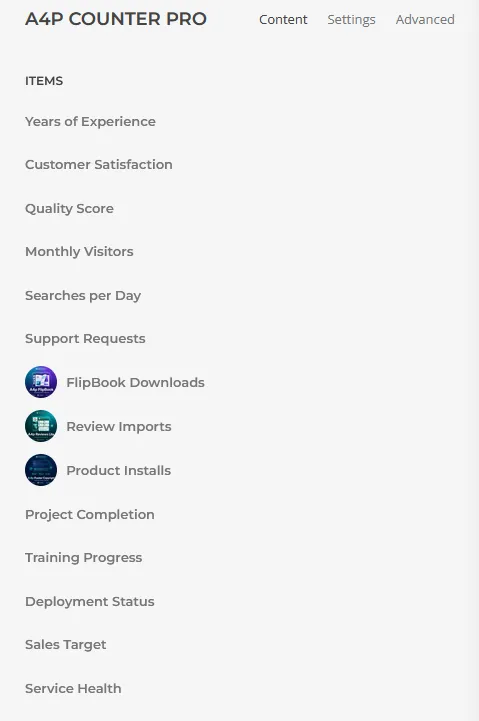
- Add your counter items and configure values, titles, animation and layout.
- Open the plugin settings and enter your free addons4.pro license key under License & Updates.
- Save the plugin settings to activate automatic updates.
The Joomla version is compatible with Joomla 5 and Joomla 6.
WordPress Installation
- Download the WordPress installation package.
- Open Plugins → Add New Plugin → Upload Plugin in the WordPress administration.
- Upload a4p-counter-statistics-pro-wordpress.zip.
- Activate A4p Counter & Statistics.
- Open YOOtheme Pro.
- Add a new element and select A4p Counter & Statistics from the addons4.pro element group.
- Add your counter items and configure the required settings.
- Open the A4p Counter & Statistics license settings and enter your free license key.
- Activate the license to enable automatic updates.
Documentation
Changelog
Version 1.0.2
Security, licensing and update hardening
- Improved protected automatic update workflow for Joomla and WordPress.
- Added stricter validation of update metadata and release paths.
- Added SHA-256 verification for WordPress update packages.
- Improved Joomla HTTP integration for Joomla 5 and Joomla 6.
- Improved license activation, validation and deactivation handling.
- Local encrypted license credentials are preserved during temporary licensing service failures.
- Added additional protection against direct execution of internal PHP files.
- Improved protected release validation.
- General security and stability improvements.
- No changes to existing Counter & Statistics Builder configurations.
Version 1.0.1
Licensing and automatic updates
- Added addons4.pro license activation for Joomla and WordPress.
- Added protected automatic update support.
- Added secure license validation through the A4Pro License Bridge.
- Added short-lived authorization for protected package downloads.
- Added Joomla Download Key integration.
- Improved licensing communication for Joomla 5 and Joomla 6.
- Improved update and licensing error handling.
Version 1.0.0
Initial PRO release
- Animated counters.
- Progress Circle.
- Progress Bar.
- Background Progress.
- Progress Frame.
- Smart Goal / Target Mode.
- Automatic target progress calculation.
- Higher-is-better and lower-is-better goal logic.
- Conditional Styling.
- Custom KPI thresholds.
- Comparison & Trend functionality.
- Percentage and absolute comparison values.
- Advanced integer, decimal, percentage and currency formatting.
- Compact number formats.
- Images.
- Native YOOtheme icons.
- Image badges.
- Rich content.
- Advanced links and button styles.
- Responsive layouts.
- Global and per-item panel styling.
- Vertical content alignment.
- YOOtheme Pro Dynamic Content.
- Native YOOtheme Pro Transform support.
- FREE ↔ PRO compatible shared property structure.
- Joomla 5 and Joomla 6 support.
- WordPress support.
- YOOtheme Pro 5 compatibility.