
To use this add-on, you need YOOtheme Pro for Joomla or WordPress. YOOtheme Pro is a separate third-party product and is not included with this package.




Product Overview
Advanced Grid Addon for YOOtheme Pro
More Content for Every YOOtheme Pro Grid Item
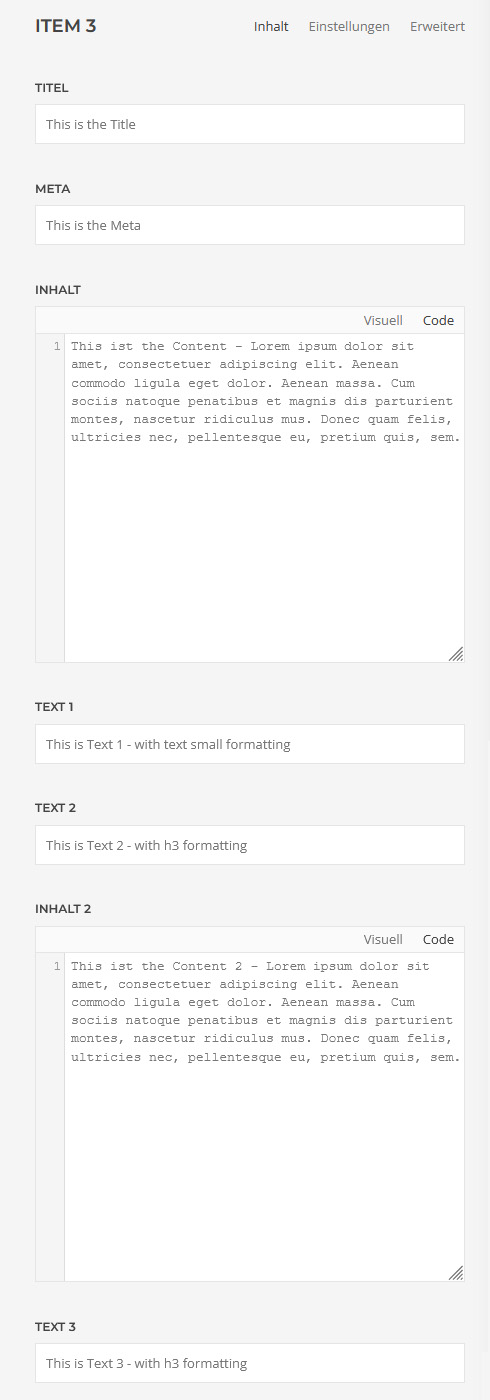
A4p Grid Multi is an extended grid element for YOOtheme Pro on Joomla and WordPress.
It retains the familiar structure and design options of the standard YOOtheme Pro Grid while adding the content fields that are frequently missing in complex, real-world projects.
Each grid item can combine:
- A title
- Meta information
- Four separate content areas
- Eight additional styled text fields
- An image or video
- Hover image or hover video
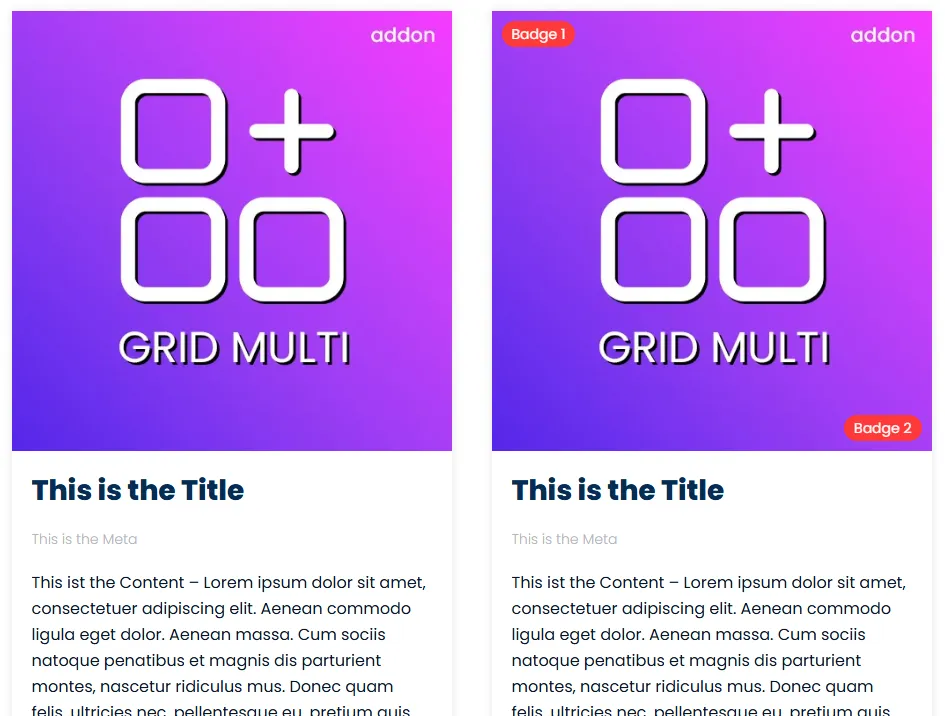
- Two image badges
- Four independent links
- Filter tags
This gives designers and developers far more freedom without requiring a custom element for every project.
Four Flexible Content Areas
The standard content field is supplemented by three additional content areas.
Each area can contain formatted content and provides its own display settings. Depending on the selected configuration, content can use columns, dividers, alignment, drop caps, responsive breakpoints and individual spacing.
The additional areas are useful for:
- Product descriptions and specifications
- Service details
- Event information
- Opening hours
- Prices and conditions
- Contact information
- Technical data
- Structured portfolio content
Eight Additional Styled Text Fields
Every item includes eight extra text fields in addition to its title, meta information and content areas.
Each text field can be styled individually using YOOtheme Pro options such as:
- Heading and text styles
- HTML heading level
- Font family
- Text color
- Decorative divider, bullet or line
- Top or left alignment
- Responsive grid width
- Column and row gaps
- Responsive stacking breakpoint
- Individual spacing
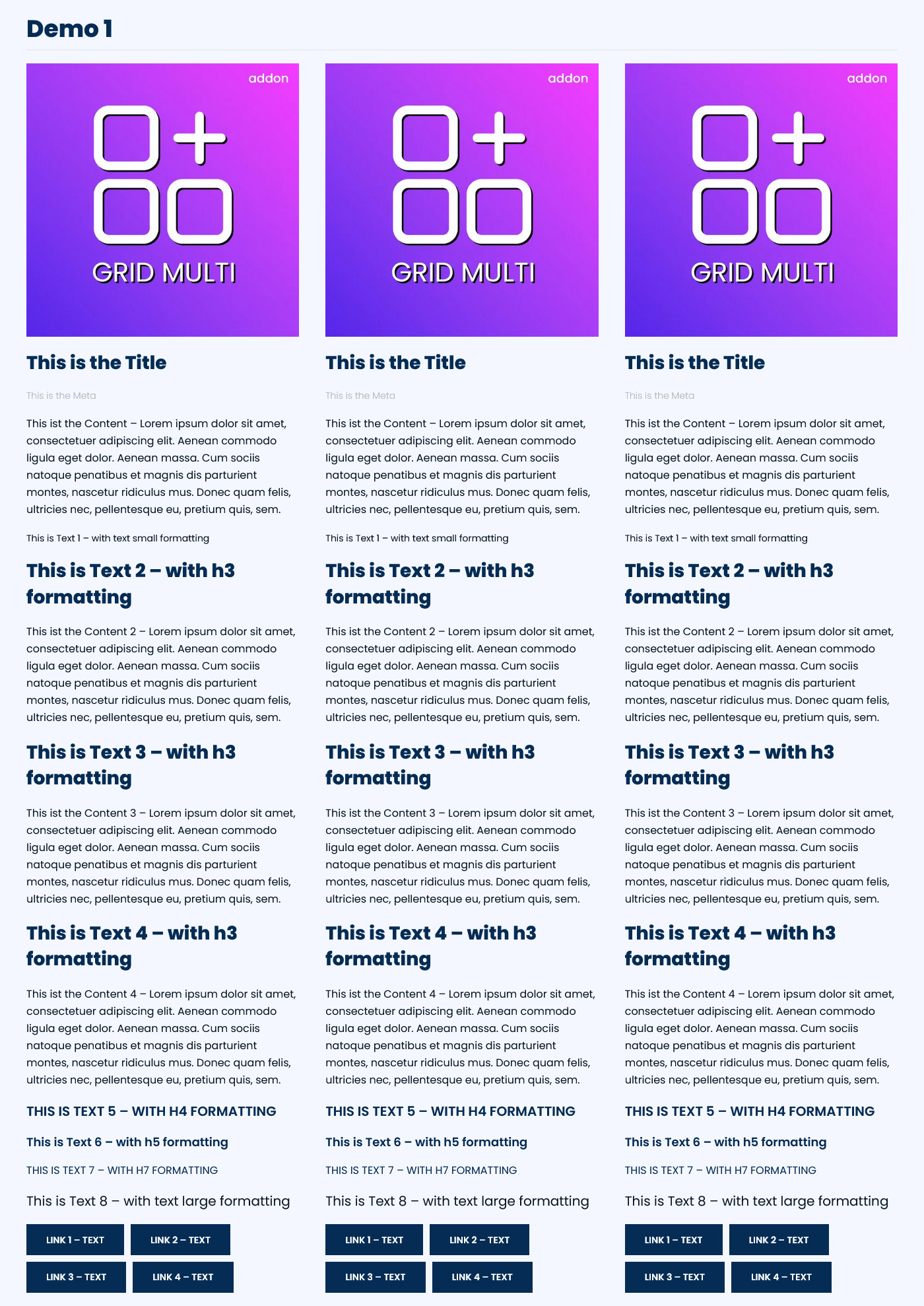
As demonstrated in the Joomla and WordPress demos, these fields can be combined as headings, labels, prices, short facts or highlighted information within the same grid item.
Two Image Badges
The latest release adds two optional badges to every grid item:
- Badge 1 appears at the top-left of the image.
- Badge 2 appears at the bottom-right of the image.
Both badges can be enabled independently. This makes them suitable for short labels such as:
- New
- Sale
- Featured
- Bestseller
- Available
- Limited
- Online
- Recommended
The badges use the native UIkit badge style and remain visually integrated with YOOtheme Pro.
Four Independent Links
Each grid item supports up to four links with independent link text and presentation settings.
The links can be used for different actions, for example:
- View details
- Buy now
- Download
- Open demo
- Read documentation
- Contact us
- View related content
The primary link can act as the main panel destination. Additional links remain separately clickable and are displayed without invalid nested-link markup.
Individual link options include button style, size, full-width display, target behavior, download attributes, accessible labels and link relationship settings.
Images, Videos and Hover Media
Grid items support images and videos as their primary media. You can also assign a separate hover image or hover video to create a more interactive presentation.
Available media options include familiar YOOtheme Pro controls for:
- Image size and aspect ratio
- Focal point
- Image effects
- Text color over media
- Hover transitions
- Video playback
- Lightbox presentation
- Alternative text
- Responsive media output
This makes Grid Multi suitable for product presentations, portfolios, team members, services, events and visual content collections.
Filterable Content Collections
Assign tags to grid items and enable filter navigation so visitors can display selected groups of content.
Filter controls can be positioned above, to the left or to the right of the grid. Depending on the selected position, different navigation styles and alignment options are available.
You can also:
- Show or hide an “All” option
- Customize the “All” label
- Sort filters alphabetically
- Reverse their order
- Define a manual filter order
- Animate items when the active filter changes
Responsive Grid Layouts
Choose the number of columns independently for the available responsive breakpoints—from phone portrait to large desktop screens.
Layouts can use one to six columns or automatically size columns according to their content. Column and row gaps can be configured separately, and optional dividers can separate grid columns.
Masonry and Parallax Layouts
For items with different heights, Grid Multi can create a masonry layout that fills available column space.
Optional parallax settings move individual columns at different speeds while visitors scroll. Columns can also be aligned toward the bottom for a more dynamic visual composition.
A Cleaner Builder Workflow
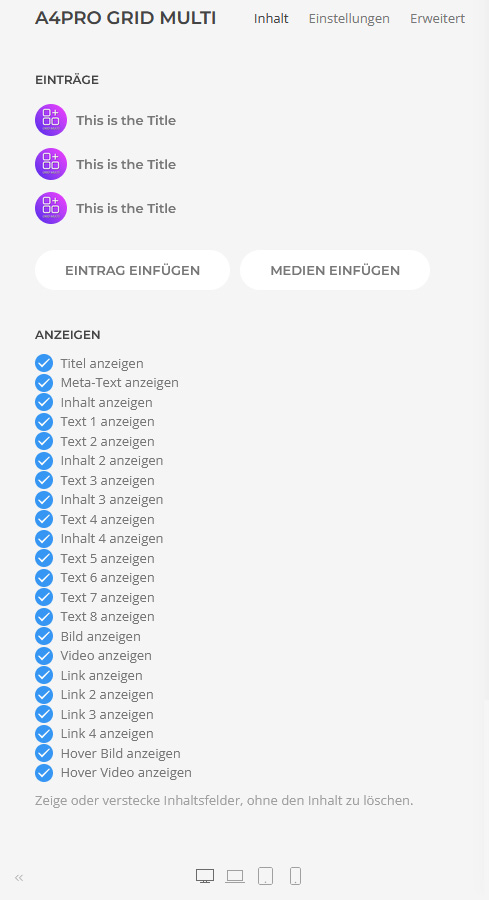
Every optional field type can be enabled or disabled at element level.
Disabled fields are hidden from the item editor together with their related settings. Stored content is preserved, so a field can be activated again without recreating its previous content.
Changes to these display switches are reflected immediately in the Builder.
Dynamic Content Support
The extended content, text, media, badge and link fields can participate in YOOtheme Pro’s dynamic-content workflow.
Safe formatted output is preserved for practical dynamic values such as WooCommerce prices, while unsafe event handlers, URL schemes and unapproved HTML attributes remain blocked.
Built for Joomla and WordPress
Separate packages are provided for Joomla and WordPress. Both versions offer the same main element structure and integrate into the addons4.pro group inside YOOtheme Pro.
A valid addons4.pro licence enables protected automatic updates for the selected platform.

Frequently Asked Questions

Tags
Key Features
- Extended Grid element for YOOtheme Pro
- Joomla and WordPress packages
- Four separate content areas per item
- Eight additional styled text fields
- Four independent links
- Two optional image badges
- Badge positions at top-left and bottom-right
- Images and videos
- Separate hover image or hover video
- Lightbox support
- Filterable items using tags
- Configurable filter position and style
- Manual or alphabetical filter ordering
- Responsive one-to-six-column layouts
- Automatic column sizing
- Masonry layouts
- Grid parallax effects
- Separate column and row gaps
- Optional grid dividers
- Panel and card styles
- Image and media effects
- Dynamic content support
- Safe formatted HTML output
- Accessible overlay and additional links
- Field visibility controls
- Immediate Builder field synchronization
- German and English interface
- Secure licence management
- Licensed automatic updates
- No coding required
Requirements
Joomla
- Joomla 5 or Joomla 6
- YOOtheme Pro
- PHP 8.1 or newer
- PHP Sodium extension for encrypted licence storage
- Active addons4.pro licence for automatic updates
WordPress
- WordPress 6.0 or newer
- YOOtheme Pro
- PHP 8.0 or newer
- Active addons4.pro licence for automatic updates
Recommended Configuration
- Joomla 6 or a current supported WordPress release
- YOOtheme Pro 5
- HTTPS website
- Modern browser with JavaScript enabled
YOOtheme Pro is required and is not included with the add-on.
Installation and Setup
Joomla Installation
- Download the product package from your addons4.pro account.
- Unzip the downloaded package on your computer.
- Locate the Joomla installation ZIP file.
- In Joomla, go to System → Install → Extensions.
- Upload and install the Joomla package.
- Go to System → Manage → Plugins.
- Search for A4Pro Grid Multi.
- Make sure the system plugin is enabled.
- Open its settings and activate your licence.
- Clear the Joomla and YOOtheme Pro caches.
WordPress Installation
- Download and unpack the product package.
- Locate the WordPress installation ZIP file.
- In WordPress, go to Plugins → Add New Plugin → Upload Plugin.
- Upload and install the package.
- Activate A4Pro Grid Multi.
- Open the licence settings and activate your licence.
- Clear WordPress, server and YOOtheme Pro caches where applicable.
Creating a Grid
- Open a YOOtheme Pro layout.
- Click Add Element.
- Select A4Pro Grid Multi from the addons4.pro group.
- Add the required grid items.
- Enable only the content, text, media, badge and link fields needed for the layout.
- Enter the content for each item.
- Add Badge 1 and Badge 2 where required.
- Configure the responsive column layout.
- Optionally enable filters, masonry, parallax or lightbox behavior.
- Review the result at all relevant responsive breakpoints.
Documentation
How to install a Joomla or WordPress extension
Installation Guide Joomla
Installation Guide WordPressa
Joomla Live Demo
WordPress Live Demo
The demos show different grid configurations using all four content areas, all eight additional text fields, four links and the two new badges.
Changelog
WordPress 2.0.14 and Joomla 2.0.11
Improved Dynamic Editor Content
- Added safe support for selected UIkit tooltip and icon attributes in formatted editor content.
- Preserved existing content sanitization and continued blocking unsafe event handlers and unapproved attributes.
- Improved compatibility with useful UIkit-enhanced content inside extended fields.
WordPress 2.0.13 and Joomla 2.0.10
Faster Builder Workflow
- Improved live synchronization between the element’s display switches and individual item fields.
- Enabled or disabled fields now update immediately without reopening or saving the Builder.
- Preserved stored content when optional fields are temporarily disabled.
WordPress 2.0.12 and Joomla 2.0.9
Two Image Badges
- Added Badge 1 at the top-left of the item image.
- Added Badge 2 at the bottom-right of the item image.
- Added independent visibility controls for both badges.
- Added German and English field labels.
- Integrated badges using the native UIkit badge appearance.
WordPress 2.0.9 and Joomla 2.0.8
Cleaner Conditional Fields
- Hidden disabled content fields completely from the item editor.
- Hidden settings groups belonging to disabled fields.
- Preserved existing field content when a field is hidden.
- Improved parent-to-item field synchronization.
WordPress 2.0.7–2.0.8 and Joomla 2.0.6–2.0.7
Improved Multiple Links
- Corrected the interaction between panel-wide links and additional item links.
- Restored a clickable primary panel destination using an accessible overlay.
- Moved links 2–4 into a separate clickable row.
- Prevented invalid nested links while retaining panel styling.
- Improved keyboard and screen-reader accessibility.
WordPress 2.0.6 and Joomla 2.0.5
Better Dynamic Content Output
- Improved formatted dynamic output in title, meta, content and additional text fields.
- Restored practical dynamic markup such as WooCommerce price formatting.
- Added platform-appropriate HTML filtering for rich content.
- Continued escaping URLs and blocking unsafe URL schemes.
Version 2.0.0–2.0.2
Licensed Automatic Updates
- Added licence activation, validation and deactivation.
- Added automatic Joomla and WordPress updates through dedicated addons4.pro channels.
- Restricted protected downloads to active, non-expired licences.
- Added encrypted local storage for licence credentials.
- Added short-lived, single-use download authorization.
- Added German and English licence administration.
- Improved update-package verification and delivery security.
- Retained compatibility with existing Grid Multi installations.
Version 1.1.1
Previous Stable Release
- Provided the extended YOOtheme Pro Grid structure for Joomla and WordPress.
- Added multiple content and text fields.
- Added up to four item links.
- Retained responsive grids, filters, media, lightbox, masonry and parallax features from the underlying grid architecture.