
To use this add-on, you need YOOtheme Pro for Joomla or WordPress. YOOtheme Pro is a separate third-party product and is not included with this package.
The add-on creates and formats a copyright notice. It does not provide legal advice or guarantee that a website meets the legal requirements of a particular country.




Product Overview
Copyright Addon for YOOtheme Pro
Automatic Copyright Notices for YOOtheme Pro
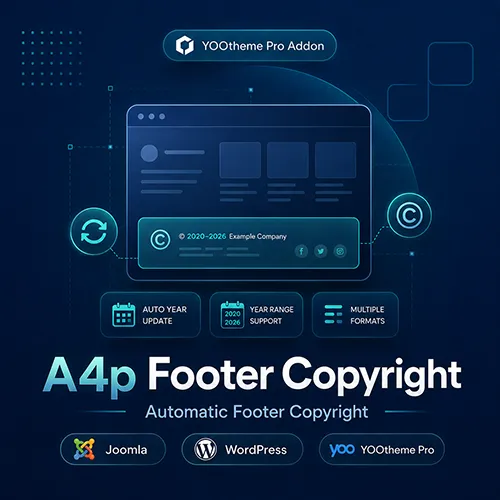
A4p Copyright is a dedicated YOOtheme Pro element for creating flexible copyright notices in Joomla and WordPress footers.
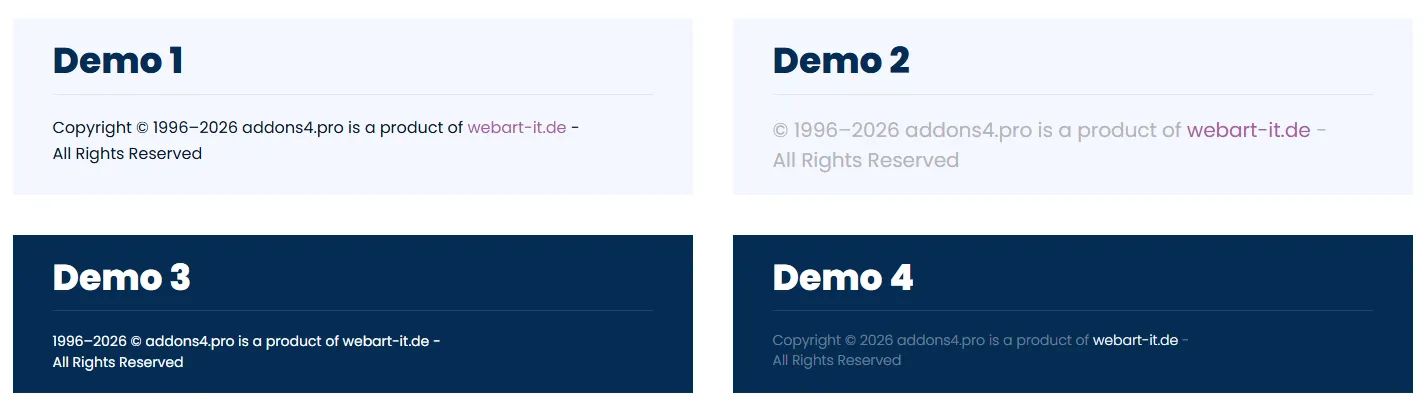
The element automatically displays the current year, helping you keep your footer information up to date without changing it manually every January. You can also enter a start year to create an automatically updated year range such as “2020–2026”.
Flexible Copyright Formats
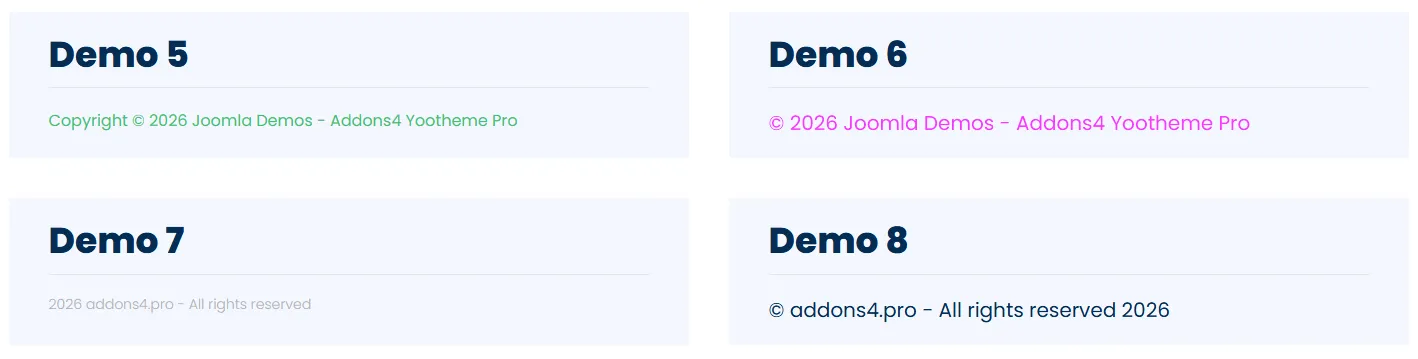
Choose from several predefined arrangements for the copyright symbol, year and text:
- © Year Text
- Year © Text
- Text © Year
- Text Year
- © Text Year
- Copyright © Year Text
- Copyright © Text Year
The copyright symbol can be enabled or disabled independently.
Use Your Website Name Automatically
If no custom text is entered, the element can use the website name configured in Joomla or WordPress.
Alternatively, you can add your own footer text using the integrated editor. Supported formatting includes links, line breaks and basic text emphasis, allowing you to include a company name or other short footer information.
Style It with YOOtheme Pro
The element integrates with YOOtheme Pro’s standard design controls. You can configure text style, text color, alignment, spacing, maximum width, visibility, animation and other advanced element settings.
This makes it easy to match the copyright notice to the rest of your website without custom programming.
Built for Joomla and WordPress
Separate installation packages are available for Joomla and WordPress. Both versions provide the same core copyright features and integrate directly into the YOOtheme Pro Builder.
A valid addons4.pro licence enables automatic updates for the selected platform.

Frequently Asked Questions

Tags
Key Features
- Dedicated copyright element for YOOtheme Pro
- Available for Joomla and WordPress
- Automatically displays the current year
- Optional start year for dynamic year ranges
- Automatic website-name fallback
- Custom copyright text
- Optional copyright symbol
- Seven predefined output formats
- Optional “Copyright” prefix
- Integrated editor with basic HTML formatting
- Support for links and line breaks
- Dynamic-capable custom text field
- YOOtheme Pro text styles
- Configurable text colors
- Responsive text alignment
- Margin and maximum-width controls
- Visibility and animation settings
- Advanced CSS and element attributes
- German and English Builder interface
- Secure licence activation and deactivation
- Licensed automatic updates
- No manual yearly footer update required
- No coding required
Requirements
Joomla
- Joomla 5 or Joomla 6
- YOOtheme Pro
- PHP 8.1 or newer
- PHP Sodium extension for encrypted licence storage
- Active addons4.pro licence for automatic updates
WordPress
- WordPress 6.0 or newer
- YOOtheme Pro
- PHP 8.1 or newer
- Active addons4.pro licence for automatic updates
Recommended Product Configuration
- Joomla 6 or a current supported WordPress release
- YOOtheme Pro 5
- HTTPS website
YOOtheme Pro is required and is not included with the add-on.
Installation and Setup
Joomla Installation
- Download the product package from the Downloads section of your addons4.pro account.
- Unzip the downloaded package on your computer.
- Locate the Joomla installation file.
- In the Joomla administrator area, go to System → Install → Extensions.
- Upload and install the Joomla ZIP file.
- Go to System → Manage → Plugins.
- Search for A4Pro Copyright.
- Make sure the system plugin is enabled.
- Open the plugin settings and activate your licence.
- Clear the Joomla and YOOtheme Pro caches.
WordPress Installation
- Download the product package from the Downloads section of your addons4.pro account.
- Unzip the downloaded package on your computer.
- Locate the WordPress installation file.
- In WordPress, go to Plugins → Add New Plugin → Upload Plugin.
- Upload and install the WordPress ZIP file.
- Activate the A4Pro Copyright plugin.
- Open the licence settings and activate your licence.
- Clear any WordPress, server and YOOtheme Pro caches.
Adding the Copyright Element
- Open YOOtheme Pro.
- Edit an existing layout or create a new one.
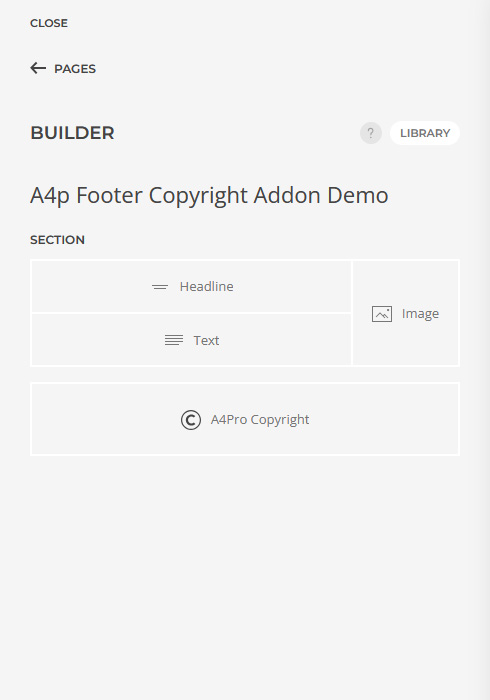
- To place the notice in the global footer, open Builder → Layout → Footer.
- Click Add Element.
- Select A4Pro Copyright from the addons4.pro element group.
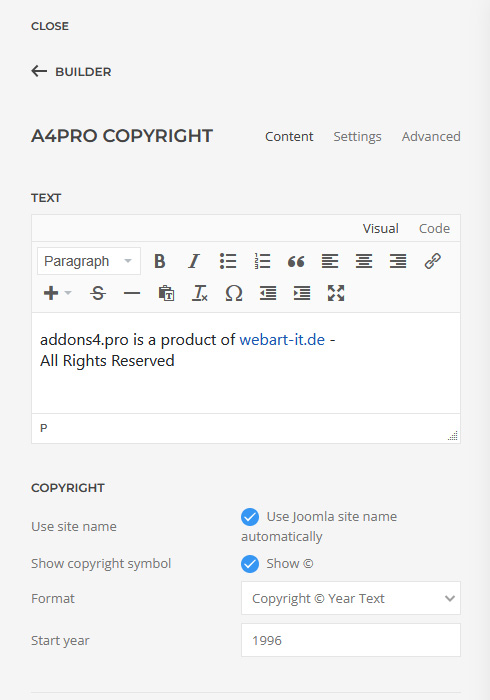
- Enter your custom text or enable the website-name option.
- Choose whether to display the copyright symbol.
- Select the preferred copyright format.
- Enter an optional start year.
- Configure text style, color, alignment and spacing.
- Save the layout and check the footer on the frontend.
Recommended Setup
For a standard copyright notice:
- Leave the custom text empty.
- Enable the website-name option.
- Enable the copyright symbol.
- Select © Year Text.
- Enter the year in which the website or business was established if you want to display a range.
Example without a start year:
© 2026 Example Company
Example with the start year 2020:
© 2020–2026 Example Company
Documentation
How to install a Joomla or WordPress extension
Installation Guide Joomla
Installation Guide WordPressa
View Demo Joomla
View Demo WordPress
Changelog
Joomla 2.1.10
Modern Joomla Update Integration
- Updated the plugin architecture for current Joomla releases.
- Improved integration with Joomla’s extension installer and update workflow.
- Strengthened the secure delivery of licensed update packages.
- Preserved existing licence information and all copyright-element settings during the update architecture migration.
- No changes were made to the copyright element’s visible features.
Joomla 2.1.7–2.1.9
Secure Update Downloads
- Introduced short-lived, single-use authorization tickets for Joomla update downloads.
- Prevented long-lived activation credentials from being sent with release requests.
- Improved compatibility with Joomla’s modern event and plugin architecture.
- Preserved encrypted licence information during updates and migrations.
Joomla 2.1.4–2.1.6
Improved Joomla Update Reliability
- Improved recognition and processing of licensed Joomla update packages.
- Added automatic recovery when Joomla recreates the associated update-source record.
- Corrected package handling so downloaded releases continue to be recognized as valid ZIP archives.
- Improved reliability of the Joomla download-key workflow.
Joomla 2.1.0–2.1.3
Secure Licence Management
- Added licence activation and deactivation in the Joomla plugin settings.
- Added licence-status and expiration information.
- Added encrypted local storage for licence credentials.
- Added periodic licence validation and entitlement checks before protected downloads.
- Added German and English licence-management texts.
- Added privacy-safe diagnostic codes for activation problems.
- Improved filtering of editor content and external links.
- Kept the installed copyright element functional if update entitlement expires.
WordPress 2.1.5
Licence Recovery and Diagnostics
- Improved recovery when a stored update authorization token is missing or invalid.
- Added privacy-safe diagnostic information for product validation problems.
- Preserved existing encrypted licence information when automatic recovery is unavailable.
- Kept licence keys, activation tokens and customer information out of diagnostic output.
WordPress 2.1.1–2.1.4
Reliable Private Updates
- Introduced short-lived, single-use authorization tickets for WordPress downloads.
- Improved private update discovery through the standard WordPress update system.
- Added non-destructive recovery for missing update authorization.
- Preserved the existing activation and element configuration during update recovery.
- Improved compatibility with WordPress automatic-update controls.
WordPress 2.1.0
Secure Licence Management
- Added licence activation and deactivation in the WordPress administration.
- Restricted protected downloads to active, non-expired licences.
- Added encrypted local storage for licence credentials.
- Added periodic and pre-download licence validation.
- Added German and English licence administration.
- Added secure permission and request validation for licence actions.
- Kept available update information visible while withholding protected packages without a valid licence.
Version 2.0.0 — Joomla and WordPress
Unified Product Versions and Update Channels
- Synchronized the Joomla and WordPress product versioning.
- Established semantic versioning for future releases.
- Added dedicated Joomla and WordPress update channels.
- Added stable, platform-specific release filenames.
- Improved update metadata and package verification.
WordPress 1.17–1.18
WordPress Automatic Updates
- Added update discovery through the dedicated addons4.pro WordPress channel.
- Added plugin information to the WordPress update-details dialog.
- Added the standard WordPress control for enabling or disabling automatic updates.
- Kept automatic updates under the website administrator’s control.
Joomla 1.16–1.17
Joomla Automatic Updates
- Added the official addons4.pro update server to the Joomla extension.
- Added a dedicated Joomla update feed and stable release package.
- Improved installation-package compatibility and integrity verification.
- Corrected an installation issue that could prevent Joomla from finding the extension manifest.
Joomla 1.14–1.15 and WordPress 1.15–1.16
Compatibility and Security Improvements
- Improved safe handling of formatted editor content.
- Improved output escaping and language fallback behavior.
- Fixed compatibility problems caused by PHP namespace handling after platform or template updates.
- Improved protection for links included in custom copyright content.
Joomla 1.10–1.13 and WordPress 1.13–1.14
Multilingual Content and Editor Support
- Added German and English Builder translations.
- Added improved locale fallback handling.
- Added formatted editor content for custom copyright text.
- Improved inline formatting and element rendering.
- Added YOOtheme Pro integration for WordPress.
Joomla 1.04–1.06
Additional Copyright Formats
- Added more arrangements for the copyright symbol, year and custom text.
- Added formats with the complete “Copyright” label.
- Improved the element’s formatting controls and output logic.
Joomla 1.01
First Public Release
- Introduced the A4Pro Copyright element for YOOtheme Pro.
- Added an automatically updated copyright year.
- Added optional start-year ranges.
- Added website-name integration.
- Added a copyright-symbol toggle.
- Added configurable copyright formats.